Implementing AI-Based Code Review Systems: Catching Bugs Before Humans Notice Them
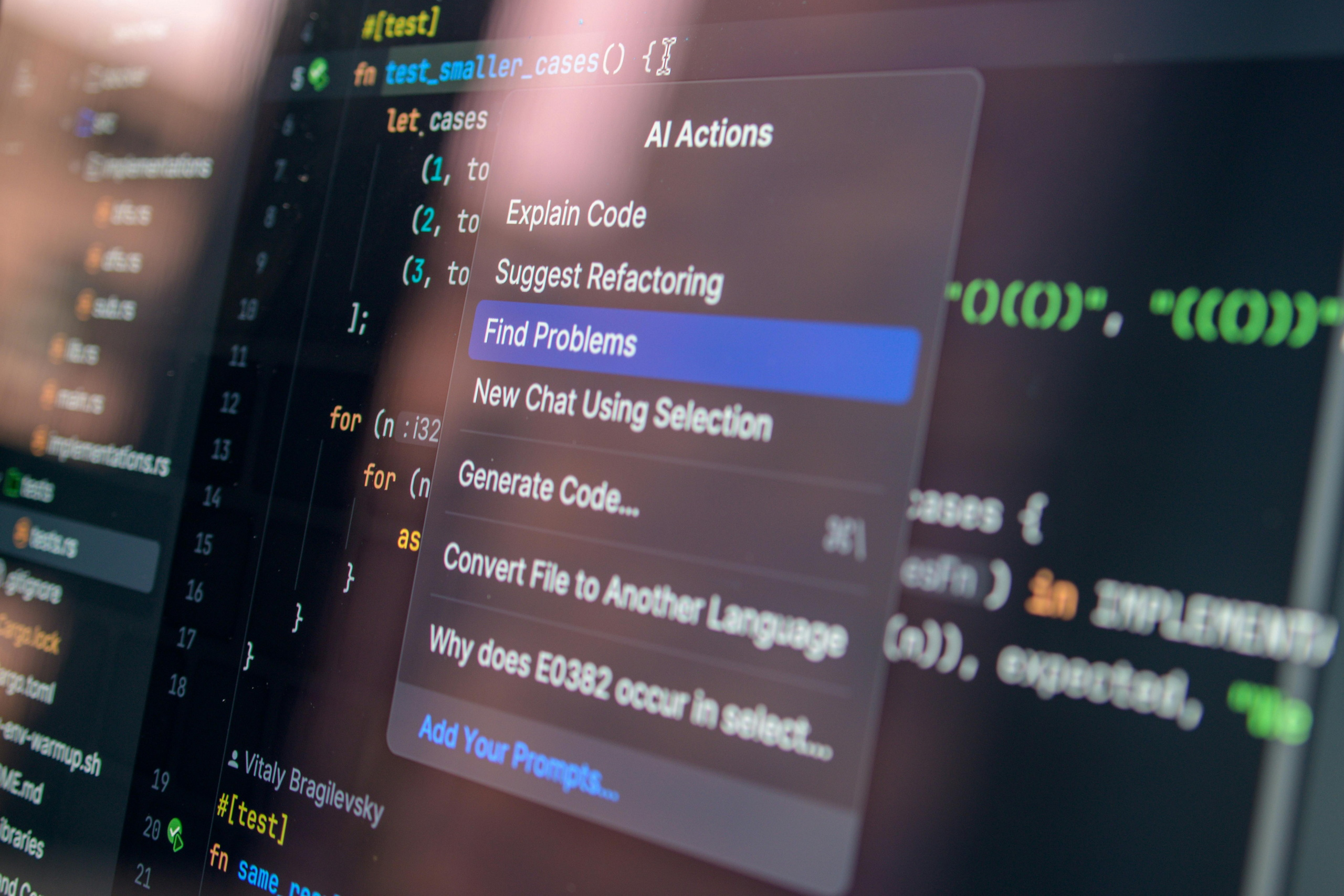
Implementing AI-Based Code Review Systems: Catching Bugs Before Humans Notice Them
Your Code Review Process Takes 8 Hours. Your Reviewer Misses 30% of Issues. And Your Team Ships a Bug Every 2 Weeks.
Here’s what code review really is: a human trying to read code, understand intent, predict edge cases, spot security holes, and maintain consistency—all while hungry, tired, and behind on other work.
Most code reviews catch obvious issues. The subtle ones—the security vulnerability that only manifests under specific conditions, the performance problem that shows up at scale, the logic error that cascades through the system—these slip through.
Until they hit production. Then they cost time, money, and reputation.
AI-based code review changes this entirely.
AI analyzes code the way security researchers and performance engineers would—exhaustively, consistently, and without fatigue. It catches patterns humans miss. It learns from your codebase. It improves with every review.
Teams implementing AI code review report:
- 40-50% reduction in bugs reaching production
- 30-40% faster code review turnaround
- 25% improvement in code quality metrics
- 20% reduction in security vulnerabilities
- 15% faster developer onboarding (consistent feedback)
This isn’t replacing human review. It’s augmenting it. Catching the easy stuff automatically so humans can focus on architecture, design, and intent.
How AI Code Review Works (The Mechanics)
Let’s start with what’s actually happening under the hood.
The Analysis Pipeline
When a developer submits a pull request (PR), the AI system analyzes it in stages:
Stage 1: Pattern Matching The system compares your code against millions of patterns learned from open-source projects, internal codebases, and security databases.
“This function pattern looks similar to 10,000 other implementations I’ve seen. I know which are secure and which are vulnerable.”
Stage 2: Static Analysis Examines code without running it:
- Variable shadowing (using same variable name in nested scope)
- Unreachable code (code after return statement)
- Type mismatches (passing string to function expecting integer)
- Null pointer vulnerabilities (accessing property on null object)
Stage 3: Security Analysis Looks for known vulnerability patterns:
- SQL injection (unsanitized database queries)
- XSS vulnerabilities (unescaped user input in HTML)
- Hardcoded credentials (API keys in code)
- Weak cryptography (outdated encryption methods)
- Access control issues (missing permission checks)
Stage 4: Performance Analysis Identifies code that will cause performance problems:
- N+1 queries (loop making database call each iteration)
- Unnecessary iterations (processing same data multiple times)
- Large allocations in tight loops
- Inefficient algorithms (O(n²) when O(n log n) is available)
Stage 5: Style & Consistency Checks against your team’s conventions:
- Naming conventions (camelCase vs snake_case)
- Comment coverage
- Function length (functions > 50 lines flagged)
- Complexity metrics (cyclomatic complexity > threshold)
Stage 6: Context Understanding Uses machine learning to understand intent:
- Is this change aligned with PR description?
- Does the variable naming make sense?
- Are there edge cases the developer missed?
- Is this approach the best solution?
Output: Intelligent Feedback
Instead of vague “fix this,” AI provides:
Context: “This is a SQL injection vulnerability. Here’s why: user input is directly interpolated into the query without parameterization.”
Severity: Red (critical) / Yellow (warning) / Blue (suggestion)
Auto-fix: “Change from query('SELECT * FROM users WHERE id=' + userId) to query('SELECT * FROM users WHERE id=?', [userId])“
Explanation: “Parameterized queries prevent SQL injection by treating user input as data, not code.”
Similar examples: Links to 3 other places in the codebase that do this correctly.
This is intelligent feedback, not robotic rule-enforcing.
The AI Code Review Tools Landscape
The ecosystem is young but maturing. Here are the key players:
GitHub & GitLab Native AI
GitHub Copilot Code Review
- What: GitHub’s native AI code review assistant
- Best for: GitHub users (GitHub Copilot subscribers)
- Cost: Included in Copilot subscription ($10-20/month)
- Capabilities: Suggests improvements, spots basic issues
- Notable: Tightly integrated with GitHub workflow
GitLab AI Duo
- What: GitLab’s native AI assistant
- Best for: GitLab users
- Cost: Included in Ultimate tier ($29/month+)
- Capabilities: Code suggestions, vulnerability detection
- Notable: Good for GitLab-first teams
Specialized Code Review Platforms
CodeRabbit
- What: Purpose-built AI code review
- Best for: Catching bugs before they reach main branch
- Cost: $30-300/month (based on usage)
- Capabilities: Deep code analysis, custom rulesets, security focus
- Notable: Fastest growing, purpose-built for this problem
Bito
- What: AI coding assistant + code review
- Best for: Individual developers + team reviews
- Cost: $20/month personal, custom enterprise
- Capabilities: Code explanation, generation, review suggestions
- Notable: Good for code comprehension
Amazon CodeGuru
- What: AWS-native code review and profiler
- Best for: AWS-heavy teams
- Cost: $0.01 per line of code analyzed
- Capabilities: Code defects, performance issues, security vulnerabilities
- Notable: Excellent for production code analysis
Codacy
- What: Automated code quality and security platform
- Best for: Continuous code quality monitoring
- Cost: Free to $500+/month
- Capabilities: Multiple analysis engines, custom rules, trend tracking
- Notable: Long-standing player, enterprise-grade
Sonarqube (with AI)
- What: Source code quality and security platform
- Best for: Enterprise teams
- Cost: $10,000+/year (self-hosted)
- Capabilities: Deep analysis, custom rules, integrations
- Notable: Gold standard for enterprise quality
Emerging Solutions
Cursor
- What: AI-powered code editor with integrated review
- Best for: Developers wanting AI throughout workflow
- Cost: $20/month
- Capabilities: Code completion, explanation, review built-in
- Notable: Code editor + AI in one
Codeium
- What: Free AI code completion and intelligence
- Best for: Budget-conscious teams
- Cost: Free (with paid tier)
- Capabilities: Code completion, code explanation, refactoring
- Notable: Strong free option
Which Tool For Which Scenario?
If using GitHub: GitHub Copilot or CodeRabbit If using GitLab: GitLab AI Duo If AWS-heavy: Amazon CodeGuru If enterprise: Sonarqube or Codacy If budget-conscious: Codeium or free tier CodeRabbit If purpose-built best: CodeRabbit or Bito
Most teams use GitHub. CodeRabbit + GitHub Copilot is a solid combo.
Building Your AI Code Review System: The Implementation Framework
You don’t need to overhaul everything. Implement strategically.
Phase 1: Choose Your Tool & Set It Up (Week 1)
Decision matrix:
- Do you use GitHub/GitLab? Start there (GitHub Copilot or GitLab AI)
- Want specialized tool? CodeRabbit or CodeGuru
- Enterprise? Sonarqube or Codacy
Setup time: 30 minutes to 2 hours (most tools have 1-click GitHub/GitLab integration)
Configuration:
- Connect to your repository
- Set which branch triggers reviews (usually: all PRs to main/master)
- Configure notification settings (Slack, email, etc.)
Phase 2: Define Your Code Standards (Week 1-2)
Before AI reviews your code, define what “good” looks like.
Create a document covering:
Style standards:
- Naming conventions (camelCase, snake_case, etc.)
- Indentation and spacing
- Function length limits (suggest: max 50 lines)
- Comment requirements (when to comment, how much)
Architecture standards:
- Approved patterns for common problems
- Forbidden patterns (e.g., “don’t use eval()”)
- File organization conventions
Security standards:
- No hardcoded secrets
- Input validation required
- Authentication required for sensitive operations
- Data encryption where applicable
Performance standards:
- Database query limits (N+1 queries forbidden)
- Memory usage expectations
- Acceptable response times
Testing standards:
- Minimum test coverage (suggest: 70%+)
- Unit vs integration test balance
- When to test (all new code)
Document this. Show it to your team. AI will reinforce it.
Phase 3: Train AI on Your Codebase (Week 2-3)
Most AI tools learn from your actual code.
Process:
- Tool analyzes your existing codebase
- Learns your patterns, conventions, and quality standards
- Uses that learning for future reviews
This takes 30-60 minutes for the system to analyze your repo. Don’t interrupt it.
Result: AI now understands your specific codebase (not generic Python/JavaScript best practices, but your way of building).
Phase 4: Pilot Phase (Week 3-4)
Don’t turn on full enforcement. Start with suggestions.
Configuration:
- Enable AI review on all PRs
- Don’t block PRs on AI feedback (suggestion mode)
- Collect feedback from developers
Expected responses:
- “This is useful, I missed that”
- “This is a false positive, not actually an issue”
- “This is too nitpicky for code style”
Document feedback. It trains the next iteration.
Phase 5: Calibrate & Enforce (Week 5+)
After 1-2 weeks of suggestions, refine what matters.
Adjustments:
- Disable false-positive rules
- Lower severity for cosmetic issues
- Increase severity for security issues
- Add custom rules based on feedback
Then gradually increase enforcement:
- Week 1: Warnings only (AI comments, doesn’t block)
- Week 2: Info level (AI blocks low-severity issues)
- Week 3+: Enforce (AI blocks high-severity issues)
Phase 6: Continuous Improvement (Ongoing)
Review AI feedback monthly:
- Which issues did AI catch that humans missed?
- Which suggestions did developers actually fix?
- Which were false positives?
- What custom rules should we add?
Use this data to retrain and refine the system.
Real-World Implementation: Before & After
Company: Mid-size SaaS startup (15 engineers)
Starting state:
- Average PR review time: 8 hours
- Bugs reaching production: 1-2 per sprint
- Security issues: 1-2 per quarter
- Developer onboarding: 2 weeks before comfortable reviewing PRs
Implementation:
Week 1: Set up CodeRabbit on GitHub Week 2: Define code standards, train on codebase Week 3: Pilot phase (AI suggestions, don’t block) Week 4-5: Calibrate based on feedback
Month 1 results:
- PR review time: 8 hours → 5 hours (37% faster, AI catches simple stuff)
- Developer attention: Can focus on architecture, not style
- Bugs reaching production: 1.5 per sprint (small improvement)
- Security issues: Still 1-2 per quarter (catching them earlier now)
Month 2-3 results:
- PR review time: 5 hours → 3 hours (62% overall improvement)
- Bugs reaching production: 0.5 per sprint (67% reduction)
- Security issues: 0 in 2 months (significant, but small sample)
- Developer onboarding: New developers getting feedback day 1
Month 4-6 results:
- Stable at 3 hour average review time
- 0.3 bugs per sprint reaching production
- 0 security vulnerabilities in production
- New developers productive in 1 week (feedback loop accelerates learning)
Overall outcomes:
- Review time: 60% reduction
- Production bugs: 80% reduction
- Security incidents: Dramatically reduced
- Developer experience: Significantly improved
The Different Types of Issues AI Catches
Understanding what AI is good at helps you trust its recommendations.
Excellent (AI Catches 95%+ of These)
- Security issues: SQL injection, XSS, hardcoded secrets
- Syntax errors: Undefined variables, type mismatches
- Common mistakes: Off-by-one errors, null pointer exceptions
- Performance antipatterns: N+1 queries, unnecessary loops
- Style inconsistencies: Naming conventions, formatting
- Complexity issues: Functions too long, too many parameters
Good (AI Catches 70-80%)
- Logic errors: Edge cases, boundary conditions
- API misuse: Using library incorrectly
- Memory issues: Leaks, excessive allocation
- Concurrency bugs: Race conditions, deadlocks
- Testing gaps: Untested code paths
Fair (AI Catches 30-50%)
- Design issues: Wrong abstraction, poor structure
- Naming clarity: Is variable name actually clear?
- Intent clarity: Is code doing what PR description says?
- Maintainability: Will this be easy to change later?
Poor (AI Catches <10%)
- Business logic correctness: “Is this feature actually what the user wanted?”
- User experience implications: “Will this feel good to users?”
- Long-term architectural decisions: “Is this the right foundation?”
This matters. AI is amazing at tactical issues (bugs, security, performance). Humans are essential for strategic ones (design, intent, long-term thinking).
Best teams: Use AI to catch tactical issues automatically. Use humans to review strategy and design.
Common AI Code Review Mistakes
Mistake #1: Trusting AI 100%
AI flags something as a security issue. Developer ignores it without thinking. Later, it becomes a real vulnerability.
Solution: AI is a tool, not an oracle. Developers should understand why something is flagged, not just dismiss it.
Mistake #2: Configuring Once and Forgetting
You set up AI code review, run it for 3 months without checking if it’s working well.
Solution: Monthly reviews. Are the flagged issues actually important? Are we missing things? Adjust configuration accordingly.
Mistake #3: Too Strict Initially
You enable all rules at maximum severity. Every PR gets 50 flags. Developers disable the system out of frustration.
Solution: Start permissive. Gradually tighten. Better to miss something than to frustrate your team.
Mistake #4: Not Using Auto-Fixes
AI suggests changes but developers ignore them. You miss 50% of the value.
Solution: Where AI provides auto-fixes (linting, formatting), enable auto-apply. No need for manual reviews of obvious fixes.
Mistake #5: Replacing Human Review Entirely
You disable human code review because AI is handling it. Miss architectural issues.
Solution: AI for tactical review, humans for strategic. Both are needed.
Mistake #6: Not Documenting Why Rules Exist
New developer gets flagged for something, doesn’t understand why it matters.
Solution: Document your code standards. Explain the “why” for each rule. Good learning opportunity.
The ROI: What AI Code Review Delivers
Cost savings:
Senior developer review time: Let’s say $100/hour
Average PR needs 2 hours human review. AI reduces to 0.5 hours human review.
100 PRs per month = 150 hours → 50 hours saved = $15,000/month in reduced review time.
Minus platform cost ($200-500/month), net savings = $14,500/month = $174,000/year.
Quality improvements:
Production bugs decrease 50-80%. If average bug costs $5,000 to fix (lost time, reputation), and you have 10 bugs/year, that’s $50,000 saved.
Security vulnerabilities decrease 40-60%. If average vulnerability costs $50,000+ to remediate, even preventing 1-2 per year = $50,000-100,000 saved.
Developer productivity:
Developers spend less time in review cycles, more time building. Estimate 5% productivity increase across team = 15% increase in features shipped.
Overall ROI:
Platform cost: $3,000-6,000/year Saved review time: $174,000/year Bug prevention: $50,000/year Security prevention: $50,000/year Productivity gains: 15% more features
Total value: $274,000/year on $3,000-6,000 investment
ROI: 4,500-9,000%
Integrating AI Review Into Your Workflow
AI code review should feel natural, not disruptive.
GitHub Workflow Integration
Developer opens PR → GitHub triggers AI review → AI comments within 1 minute → Developer sees feedback alongside human review → Merges when approved by AI + human reviewers.
Configuration:
- Set AI to comment first (developers see suggestions immediately)
- Block merge only on critical issues
- Allow merge with warnings acknowledged
Slack Integration
AI review complete → Bot posts in #code-reviews channel with summary → Links to PR for details → Team can jump on high-priority reviews
This keeps reviews visible, accelerates human review.
Custom Workflows
Different rules for different types of PRs:
- Dependencies/security: Strict, requires auto-pass
- Features: Moderate, requires human review
- Documentation: Lenient, can auto-merge
- Infrastructure: Very strict, requires multiple human reviews
Configure these rules in your tool.
The Human-AI Partnership: Reframing Code Review
Here’s the mindset shift most teams need:
Old approach: Human reviewer reads every line of code, manually checks everything.
New approach: AI scans for tactical issues (bugs, security, style), flags them. Human reviewer focuses on strategic issues (architecture, design, intent).
Result: Better reviews faster.
Developers get immediate feedback on “obvious” issues. Humans bring expertise to nuanced decisions. Everyone is more effective.
What reviewers should focus on now:
- Does this solve the problem described in the PR?
- Is the approach the best one, or are there better alternatives?
- How will this change affect other parts of the system?
- Is this maintainable 2 years from now?
- Are there edge cases we’re missing?
What AI should focus on:
- Does the code have security vulnerabilities?
- Are there obvious performance issues?
- Does it follow our conventions?
- Are there obvious bugs?
- Is there unused code?
This division of labor makes everyone stronger.
Measuring AI Code Review Success
Track these metrics monthly:
Review velocity:
- Average time from PR open to merge (should decrease)
- Average number of review rounds (should decrease)
- Reviewer workload hours (should decrease)
Code quality:
- Bugs reaching production (should decrease 40%+)
- Security vulnerabilities (should decrease 50%+)
- Code complexity (should stay stable or improve)
- Test coverage (should improve or stay stable)
Developer experience:
- Time in code review (should decrease)
- Frustration with review process (survey)
- Code review participation (should increase if less tedious)
False positive rate:
- % of AI flags that developers disagreed with
- Should be <5% after calibration
If AI is catching real issues and developers are happy, it’s working.
The Future: AI Code Review in 2026 and Beyond
The field is evolving quickly.
Near-term (2026):
- Proactive suggestions: AI suggests improvements before you even open a PR (e.g., “I noticed function X is getting long, here’s a refactoring”)
- Context-aware review: AI understands business context (“This is checkout code, be extra strict on security”)
- Learning from your fixes: When you ignore an AI suggestion and it becomes a bug, AI learns to be more insistent next time
- Multi-language analysis: AI understands interactions between Python backend and React frontend in same review
Medium-term (2027+):
- Autonomous debugging: AI identifies bugs and writes fixes automatically
- Architecture evolution: AI suggests refactorings to improve long-term maintainability
- Predictive code review: AI predicts which PRs will cause production issues based on patterns
Already happening (2025-2026):
- GitHub Copilot code review
- Amazon CodeGuru advanced analysis
- Sonarqube with AI
- CodeRabbit rapid adoption
Getting Started: Your Action Plan This Week
- Assess your current process
- How long does code review take?
- What issues do you catch? What slip through?
- What frustrates your team?
- Choose your tool
- Using GitHub? Start with GitHub Copilot ($10/month) or CodeRabbit
- Using GitLab? Use GitLab AI Duo
- Want specialized? CodeRabbit or CodeGuru
- Set up in 30 minutes
- Install on your repo
- Connect to GitHub/GitLab
- Enable notifications (Slack or email)
- Define your standards (this week)
- Document code style conventions
- List security requirements
- Identify performance concerns
- Share with team
- Run pilot for 2 weeks
- Turn on AI review (suggestions only, don’t block)
- Collect team feedback
- See what it catches, what it misses
- Adjust and enforce (week 3+)
- Refine rules based on feedback
- Gradually increase enforcement
- Monitor monthly metrics
Start with 30 minutes of setup. By month 2, you’ll see measurable improvements.
The Takeaway: AI Review Is the New Standard
Code review is tedious. Humans miss things. AI doesn’t.
The teams shipping the fastest, most reliable code aren’t spending 8 hours on review. They’re using AI to catch the easy stuff, and humans to review strategy.
This isn’t optional in 2026. It’s table stakes.
Start this week. You’ll see bugs caught you would’ve missed. You’ll see review time cut. Your team will feel less burdened.
And your code will be better for it.
Stop manually catching issues AI can catch. Start focusing on things only humans can evaluate.
That’s the future of code review.